How to opt out of crash report collection
Overview
Starting February 27, 2026, ClickHouse Cloud will begin collecting crash reports when server crashes occur. This is part of our commitment to improving service reliability for all our users.
Crash report collection helps us:
- Identify and understand what caused a crash
- Fix issues more quickly
- Continuously improve your service experience
What's collected
When a crash occurs, crash reports capture a snapshot of the server's state at that moment. We want to be transparent that this may include sensitive information that was in memory, such as:
- Connection credentials
- Encryption keys
- Query strings
- Other data in memory at the time of the crash
How we protect your data
We take the security of this data seriously:
- Regional Storage: All data stays in the same region as your service
- Enhanced Security: We apply additional protections to all collected data
- Limited Retention: Data is kept only as long as needed for debugging, then securely deleted
Services automatically excluded
Some services are automatically excluded from crash report collection:
- Services with HIPAA compliance requirements
- Services with PCI compliance requirements
- BYOC (Bring Your Own Cloud) services
How to opt out
If you'd prefer not to participate in crash report collection, you can easily opt out:
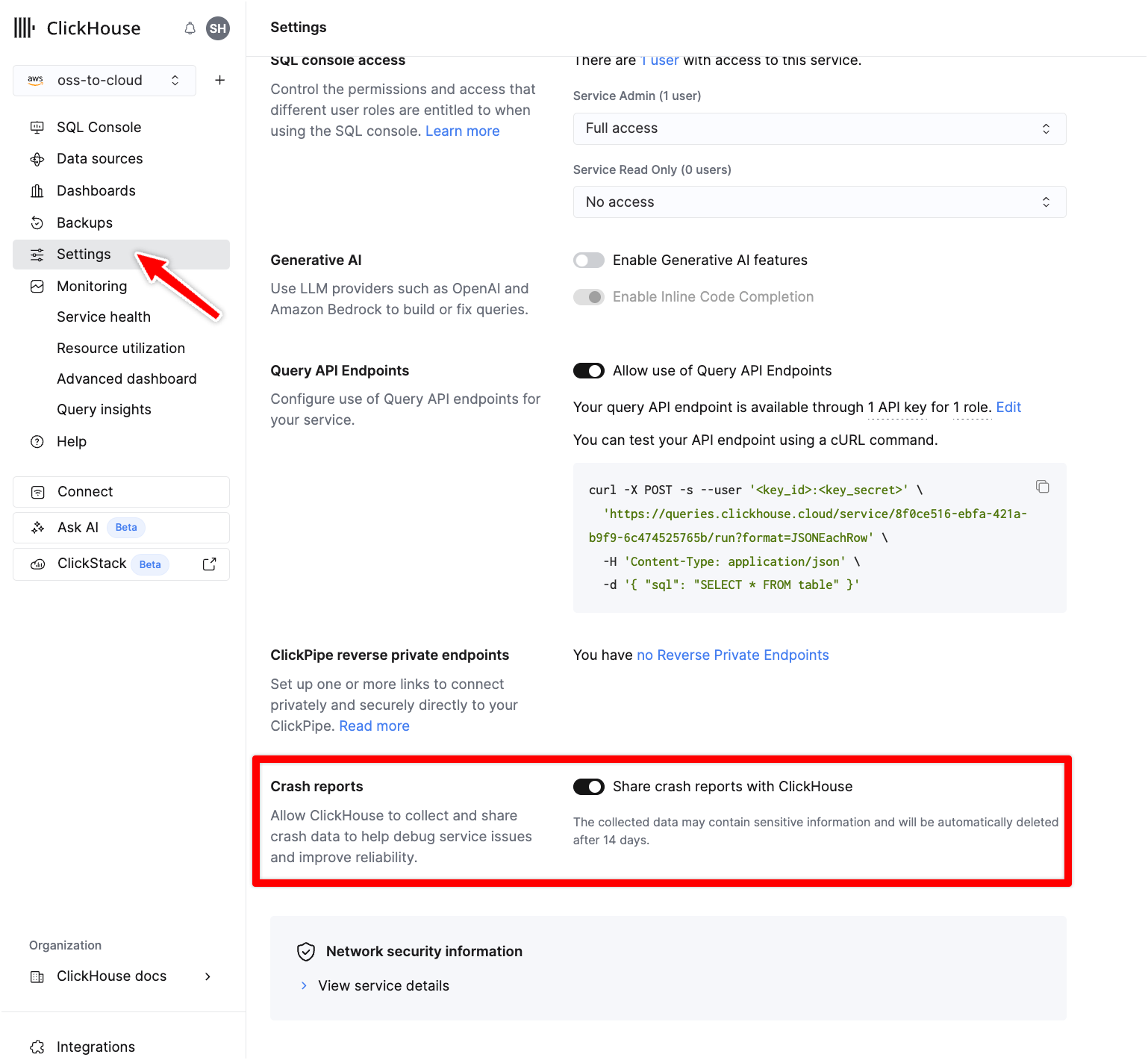
- Go to the ClickHouse Cloud Console
- Select your service
- Click on the Settings tab
- Scroll to find "Share crash reports with ClickHouse"
- Toggle the option off to opt out
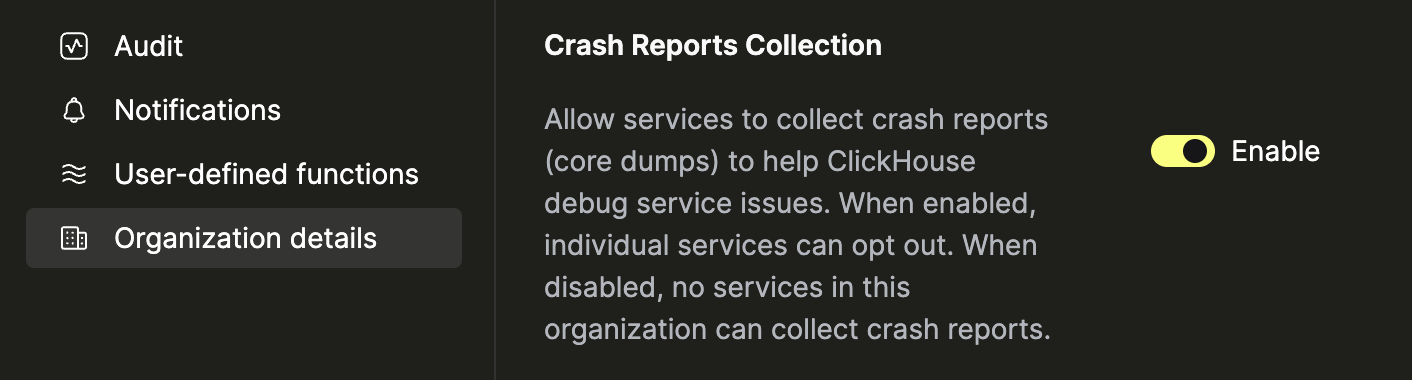
In addition to the service setting, we also support configuring preferences for the organization. If the setting is disabled, i.e., opt out of the crash report collection, all existing and new services will be opted out automatically. If you set the preference to enabled i.e. opt in, you can selectively disable at the service level to override and opt out.